
For me, photos are one of my most cherished possessions, especially those of my travel adventures. I have a terrible memory and rely on them to remind me of all the places I have been, people I’ve met and food I’ve eaten. But sadly, with all the moving around while travelling, and the risk of cameras and phones getting lost, stolen or broken, all those travel photos can quite easily be destroyed. Something which sadly has happened to me on more than one occasion.
So, what’s the solution to preserve all those travel memories?
The crucial thing is to ensure that all photos are backed up so that you are not just relying on one device to keep them safe. But with so many different options to choose from, what is the best way to back up photos while travelling?
Social media
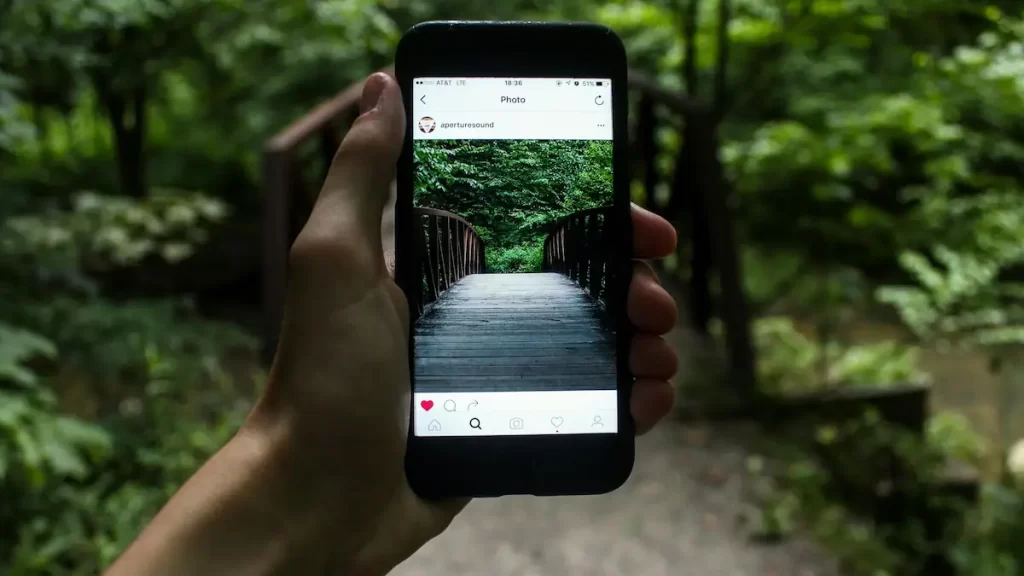
Social media is not specifically designed as a photo back up method, but it is a good way to ensure that your photos are stored in another place other than just on your phone or camera. Not only can it be a way of backing up your photos, but it can also be used to share your travel adventures with friends and family back home.
There are so many social media platforms to choose from, each specialising in different forms of media and with different audiences. Want to share only with your friends and family, then upload photos to Facebook. Have a lot of videos? You could share these with your followers on YouTube or TikTok.
Pros of social media to back up photos while travelling
- Instant upload and sharing from a smartphone. No wires or hard drive needed
- Double benefit as photos and videos are also shared with loved ones who can keep track of your travels
- Free to upload
- Can be accessed from any device as long as there is internet access
- Can tag your travel buddies in photos
- Can edit photos and videos within most social media apps
- Can add a location and a caption to each image to tell your followers where they were taken or remind your future self
Cons of social media to back up photos while travelling
- May compress, crop or decrease the quality of images and videos
- Time consuming to redownload all photos from social media once they have been uploaded
- Longer process if photos are from a camera. May need addition wires and a laptop
- Requires access to the internet
- The number of photos and videos which can be uploaded at once is limited. Facebook currently is 80 items and Instagram is only 20 items
- If you want to upload to several different platforms this can be time consuming
I’m sure most people are aware of what WhatsApp is, but for those of you who don’t, I’ll explain. WhatsApp is a free messaging service which uses the internet to allow you to send and receive messages and make phone and video calls to anyone in your contact list as long as they also have WhatsApp. It also allows media to be shared with your contacts including photos, videos, gifs and voice recordings. There is the option to either message an individual or create a group and message several people at once. Like with social media, WhatsApp’s main purpose is a messaging app and not photo back up. However, it can be a good way of ensuring that your travel photos are stored somewhere else other than on your camera or phone.

Pros of using WhatsApp to back up photos while travelling
- Free to use and send
- Instantly send photos or videos from your smartphone, no other technology or wires needed
- WhatsApp can be set to automatically back up, so should you or your travel friend’s phone get lost, then you can sign in on another device and retrieve all your messages and media
- Quick and easy to share photos with your travel buddy, tour group or someone back home
- Can be set to automatic download, so the person receiving does not have to manually download each photo or video one by one
- Can be used abroad for free using Wi-Fi, even if you don’t have an international sim card or data roaming
- Can add context to the photos by including messages with them (you can tell your friend what restaurant that yummy photo was taken at)
- WhatsApp can be installed on a computer to allow direct sending of media from a camera, hard drive or laptop
- Doesn’t crop or compress photos or videos the way some social media does
Cons of using WhatsApp to back up photos while travelling
- Have to rely on other people keeping the photos and not deleting or losing them (although there is a way to recover sent media from your account if you have backed WhatsApp up properly)
- Needs access to the internet. Could be a problem if travelling remotely
- Longer process if photos are from a camera as you may have to connect the camera or memory card to a laptop first to be able to send
- Have to ensure that your WhatsApp is backed up. If it isn’t, then you cannot recover sent or received photos if your phone breaks
- Can only send 100 media items at once, so could be time consuming if you want to share hundreds of photos with someone
Laptop
It is quite normal now for backpackers to travel with a laptop and this can be used as another way to back up photos while travelling. Because laptops are considerably larger than a smartphone or a camera’s memory card, they generally have a larger internal memory and therefore can store more data. Depending on what device you use to take your photos will depend on the method you use to transfer your media onto your laptop. Some smartphones have apps which allow the photos to be mirrored onto the laptop for seamless wireless transfer. Whereas other devices such as cameras with memory cards may have to be plugged into the laptop via a wire. Alternatively the memory card may have to be removed and put into an external SD card reader or the SD card reader on the laptop if there is one built in. Some modern digital cameras may also have Wi-Fi connectivity which allows wireless transfer to a computer.

Pros of using a laptop to back up photos while travelling
- Doesn’t require the internet
- Once photos and videos are on a laptop, it is easy to sort and edit them, share them on socials, back up to the cloud or anything else you want to do to them
- Fairly large storage capacity
- Laptops are a multipurpose item
- Data on a laptop can be set to automatically back up to the cloud
- Password protected
- Quicker to back up a large number of files compared with wireless methods such cloud or social media back up
Cons of using a laptop to back up photos while travelling
- Might have to pack additional items such as a memory card reader or transfer cables to be able to back up to a laptop
- Laptops can be bulky and heavy to carry when travelling
- Can be lost, stolen or broken
- Must remember to back up photos regularly
- Drains battery life and electricity may be in short supply in some remote areas
- Pulling out an expensive laptop in some areas may attract the wrong kind of attention
Physical storage devices
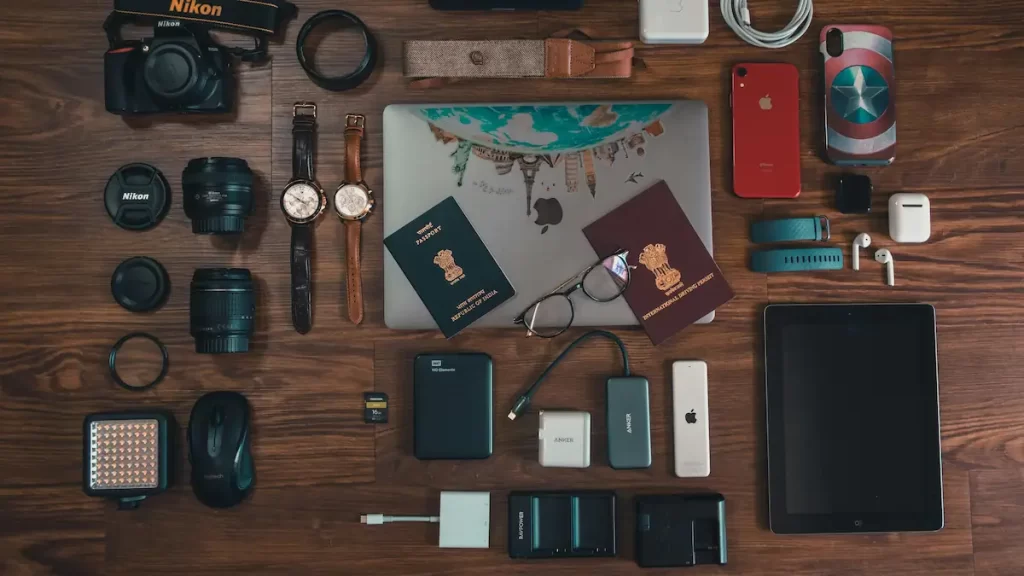
Photos can be backed up on physical storage devices such as memory cards, USB sticks or hard drives. They all do the same thing, but which one is the best will depend on what technology you have available when you are travelling and what device you are taking your photos on. Memory cards such as SD cards, and microSD cards can be used in most DSLR and point and shoot cameras as well as some smartphones. Whereas USB sticks or hard drives are used for backing up from a laptop or desktop computer.
Each of the different back up devices will be available in a variety of storage size options ranging from a few gigabytes (GB) to several terabytes (TB) (1TB = 1000GB). Depending on how much media you have to back up will depend on what size storage you will need. To give you an idea, I have a 4TB hard drive at home which I store everything on, not just travel photos. It has all of my documents and media all the way back from 2006, totalling approximately 300,000 photos and videos, and I’ve only used up 2.5TB of space. Now I definitely don’t suggest taking something this large while travelling, it’s pointless and expensive. Only take the smallest size you think you will need. Something around 100-250GB for your main hard drive should be fine for a gap year, or less for shorter trips. However, if you are a professional photographer, vlogger or shoot in RAW or 8K then you may need to stretch to 500GB or more. You may want to take several different options as well e.g. a few memory cards for your camera, a USB stick for quick transfer of small amounts of data and a main hard drive to store all of your travel photos and videos.
Pros of a physical storage device for backing up photos while travelling
- Large storage capacity
- Don’t have to have access to the internet to back up
- Media can be organised into folders on the storage device, perfect for categorising all your travel photos
- Memory cards and USB sticks are pocket size and take up very little room
- Hard drives, USB sticks and memory cards are pretty universal so can be bought abroad if you run out of storage
- Fairly resilient to minor knocks, bumps and drops
- Memory cards and USB sticks are pretty affordable
- Can be used for storing other things such as documents, movies or music
- Faster back up compared to uploading to social media or the cloud as the information is travelling physically from one device to another rather than wirelessly
Cons of a physical storage device for backing up photos while travelling
- Can be lost, broken or stolen
- Smaller back up devices such as a microSD card will have a limit on the amount of storage capacity due to its tiny size
- Hard drives can be bulky and it’s another thing to have to carry around
- Only certain devices work with certain technology e.g. A microSD card will only work if your smartphone has a card slot and a hard drive will only work if you are also travelling with a laptop
- Have to remember to back up regularly
- Larger hard drives can be expensive. They can range from around £50 up to several hundreds of pounds depending on the storage capacity
Where to buy hard drives, memory cards and USB sticks in the UK?
Argos
Wilko
Refresh Cartridges
Currys
John Lewis
Amazon
Printed photos
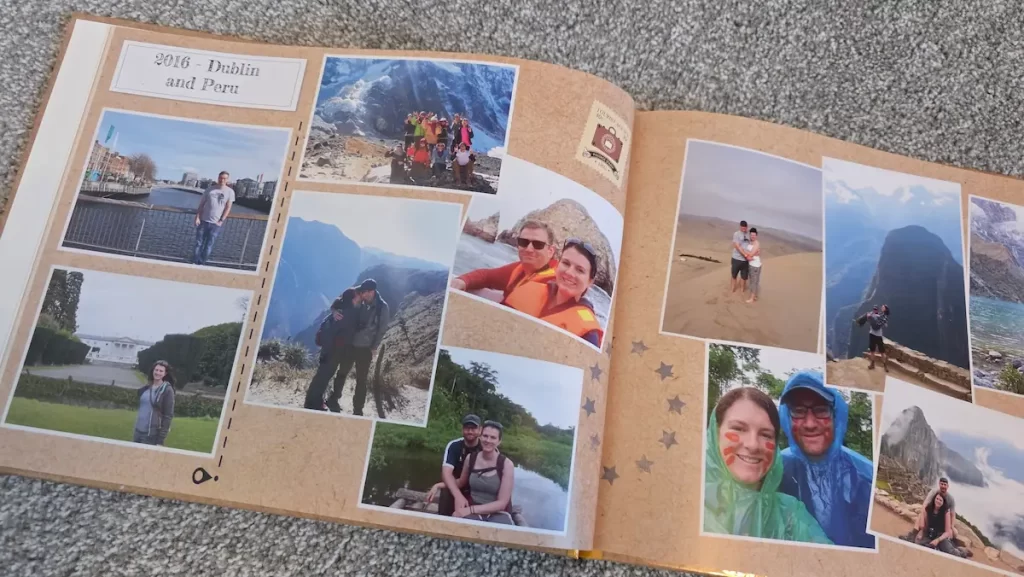
This is the classic OG way of keeping photos. In this modern era of viewing everything on a mobile, laptop or social media, it’s nice sometimes to have a physical photo keepsake you can cherish forever and share with your friends and family. Whether it just involves printing off lots of photos or making a scrapbook, taking photos from the digital to the physical world is another way of backing up photos.
Pros of printed photos as a back up method when travelling
- Less likely to get stolen as there is no monetary value compared with a laptop or a hard drive
- Makes a nice souvenir to cherish or give to friends or family
- Don’t need electricity or the internet to access them once they have been printed. Good for remote locations
- Memories you might actually look back on, rather than having everything just stored digitally which you can forget about
- Can exchange your photos with a travel companion so that you have a back up of each others photo’s should your bag or devices get lost or stolen
- Can use online photo services which allow you to upload digital photos while you are away and they are printed out in your home country and posted back home ready for your return. Saves carrying them around or having to post them from abroad
Cons of printed photos as a back up method when travelling
- Difficult to get photos printed if you are travelling in rural areas
- It’s extra stuff to carry around
- Can still get lost or damaged
- More work involved to get them printed or to create a scrapbook compared to just uploading photos to the cloud or social media
- If you lose the digital copy, it’s a lot of effort and time consuming to get hundreds of physical photos scanned back to a digital format
- Doesn’t help for backing up video formats
Cloud storage
Cloud storage is a method of backing up photos and documents virtually on the internet. It is one of the best ways to back up photos while travelling as it requires no wires or physical storage devices and can back up your photos automatically from many devices. There are many different companies which offer cloud storage and the amount of storage and price can vary. Many companies also have family or business plans which allow more than one person to upload to the cloud. Useful if you are travelling for business or with multiple people. Some also offer extras such as photo editing, document software or email accounts.

Pros of using cloud storage to back up photos while travelling
- Can access your photos anywhere, on any device
- Photos are safe even if your laptop, phone or camera are stolen, lost or broken
- Can be set up to back up files automatically
- Can often sort and edit photos in the cloud
- Many companies offer free cloud storage up to a certain limit. Perfect for shorter trips
- Password protected
- Multiple people can access the data stored on the cloud (depending on type of plan)
- Cloud storage compresses anything uploaded so you need less storage space in the cloud compared to if those same photos were stored on a hard drive
- There are lots of different companies and storage plans available, so you are bound to find one which suits you
Cons of using cloud storage to back up photos while travelling
- Have to pay a subscription for large amounts of storage
- Needs an internet connection
- Need to remember to back up regularly if your device doesn’t have the ability to automatically back up to the cloud e.g. a DSLR camera
- Backing up lots of media to the cloud is slower than backing up to a physical device as it is transferred wirelessly
- If your device doesn’t directly upload to the cloud, then additional steps may be required and extra equipment such as a laptop, transfer cables, or an SD card reader may be needed
Cloud storage options
Here are some examples of popular companies which offer cloud storage plans* (price is per month unless otherwise stated). I personally use Microsoft OneDrive and find it very easy to back up files from my Windows laptop and smartphone. I also find it simple to organise all my photos, however it’s not the quickest in terms of upload speed.
What’s the best way to back up photos while travelling?
If you have read this entire post then you will see there are lots of different methods to back up photos while travelling, each with their own pros and cons. There are three main things to consider when deciding on the best method for you. Firstly, how long are you going to be travelling? The longer you travel, the more photos and videos you will take and the more storage you will need. Secondly, how are you going to be taking your photos. Do you have just a smartphone or are you going to be using a professional DSLR camera? The type of device and whether it is Wi-Fi enabled can make different back up methods simpler or more complex. And finally, what equipment are you prepared to take? Do you want to carry a laptop and cables around in your backpack, or are you going to be packing the bare minimum?
Personally, I recommend everyone to use cloud storage at the very least. It is the only way to guarantee that photos won’t be gone forever if your device, hard drive or laptop is lost, stolen or broken. It can be accessed anywhere that has an internet connection and you can choose the amount of storage which suits you. Yes, you do have to pay for it, but as someone who has lost travel photos more times than I care to remember, it is worth it to preserve all those memories.
Next, I would recommend a physical storage device for those times when you can’t get online such as during power cuts or when you’re in a remote location with no Wi-Fi. This method however generally requires a laptop, so you need to consider if it is worth carry one around. Alternatively, you could just use a public computer at a library or internet cafe, but these are not as common as they used to be and are less secure. A hard drive will provide the most amount of storage, good for those longer trips, whereas a USB stick is good for shorter trips and is more compact and easier to carry.
The best way to back up photos while travelling is to use both cloud storage and a physical device so your memories stay safe even when you are offline. If you want to throw in other methods such as sending photos to friends via WhatsApp, uploading to social media or printing off photos, then that’s a great extra step to help ensure that your photos and videos are protected while travelling.
Bonus tips for keeping photos safe while travelling
- Never cut and paste photos. Always copy and paste, then you can delete the original afterwards. I once ‘cut’ all of my photos from my memory card and went to paste them onto a shared computer, then the computer crashed and my photos disappeared forever
- Protect your valuables from physical damage. Invest in waterproof cases, phone and camera straps, tough cases etc.
- Regularly delete any unwanted photos to free up space
- Avoid shooting in RAW, 8k or high megapixel settings unless absolutely necessary as these can take up a lot of memory on your device
- Before leaving your home country, back up then wipe all of your devices so that you have the maximum amount of memory available on your camera or smartphone for your trip. This also ensures that you are not travelling abroad with any unnecessary photos or videos which you may be sad to lose. You don’t want to find out your phone has been stolen which still had all of your wedding photos on.
Want to know other ways to keep your valuables safe while travelling? Then check our blog post HERE
(*Disclaimer: I have not personally used all of these companies and this is not a review blog post, it is just to give an idea of the different companies which offer cloud storage and a comparison of the costs of different plans. Prices correct as of July 2025.)